Through this article you will learn how to register NinjaTrader Free simulated trading account and how to install and use.
Complete this article and you will receive but not limited to the following benefits:
- long-term free trial CME Futures Secondary Depth Market Data (Level2)
- Institutional Order Flow, Smart Money (SMC)Free trial of professional indicators
- Powerful chart analysis function
- Free Education and Training Courses
- Internal Transaction Learning Exchange Group
- Earn points for internal promotion and exchange goods and services (including but not limited to software authorization,FundedNext Waiting for the Prop Firm assessment account) and raffle
- Global Futures Simulation Trading Competition to win cash — by NinjaTrader held,Free attendance
There are no extra restrictions on all the above activities, free is free, there is no routine!
--- No real name, mobile phone
--- No payment information is required
--- No need to open an account to deposit money


NinjaTrader download, register and install
Open first NinjaTrader Official Website To register your own account, you only need an email address.
Click after opening“Get Started” Or “Start Free Trial” button to start registration.

Enter your email and click Register,Support domestic mailbox, but it is recommended to use international mailboxes such as Microsoft's Outlook

After receiving the email, right-click Confirm email address button to copy and paste the link toprevious browser windowOpen the registration process.

Enter yours Username And Password AndCheck Agree Agreement, the last click create user.

Click on "Not ready for real-time trading? Start a risk-free simulated trading attempt.""

Fill in according to your own information, you do not need to verify the mobile phone number, which can be modified later.
Although you don't need verification, it's best to fill your own.Avoid hits, I'm just a demonstration here.
After filling in, click Continue to enter the background Bottom left Can be seendownload button, click to enter the download page, download the latest version of the installation.Our exclusive indicators, please contact us for.
Or you can click on the left menu first Transaction Go directly to the web version experience.
On the mobile terminal, users in mainland China can use the AppStore to directly search for “NinjaTrader” to find the APP. The Android version requires Google Store.
Start up after installation NinjaTrader Software, enter the user name and password used for registration to log in. It will prompt “How do you want to trade?”

Choose here simulated transaction
If you are a new user,NinjaTrader The registration and download and installation process is over here. You can not read the content below for the time being. You can refer to the following instructions for adding more data sources in the future.
data source connection
Data connections can be selected in the Control Center window ( Control Center window) by selecting connections ( connections) menu to manage. A green circle will be displayed next to the connected connection. You can choose to connect or disconnect. When multi-provider mode (muli-provider mode ) is enabled, you will be able to configure any additional connections or connect to the configured connections.
A connection is a place where you set a username, password, and any related information that allows you to establish a connection to a broker and/or data source service.

If you don’t see Configure Please check the folds below Enable/disable multi-provider mode.
Enable/disable multi-provider mode (click to expand content)
In the console Tools > optionsUnder, you can enable or disable multi-provider mode.
Make sure that muli-provider is selected as √ status, click OK and finally return to the connection ( connections) options can be seen Configure, if there is no configure, please restart NinjaTrader. Or contact us for help.

Create an account connection
In the connection menu, you can add connections, change connections, or delete connections. The following steps use KineTick as the connection provider. This provider is for demonstration purposes only. You can access the help information for specific broker/tech connections through the NinjaTrader Connection Guide.
To create an account connection:
1. By entering the connection menu in the control center and selecting “Configure“to open the connection window
2. Select the connection provider you want to create in the available section, and then select “add (add)”.

3. After selecting Add, you will be prompted to provide the following information:
• User-defined connection name (only alphanumeric characters are used in the connection name)
• Optional “Connections at startup” to automatically connect to this connection when the NinjaTrader starts.
Note: Before using this option, please test and make sure your connection works as expected, because the wrong credentials may block the startup of NinjaTrader.

4. Click the “OK” button to complete the connection configuration. Now in the connection menu of the NinjaTrader Control Center, you can select the newly created connection to connect.
WARNING: All configured multi-provider connections will be saved to your local system, and anyone who logs into your local system will be able to access them.
Trading Competition
Ensure that the first step is to register the demo trading account, then contact us to register, and recommend joining the following community.
Order flow indicator download
Please join any community below and download in the community.
If you have any questions, please contact us and I will be happy to help you. I will also answer the new questions we receive in this Q&A section.
Good luck with your transaction!
-traderleo
https://www.traderleo.com/atas-add-ninjatrader/
NinjaTrader
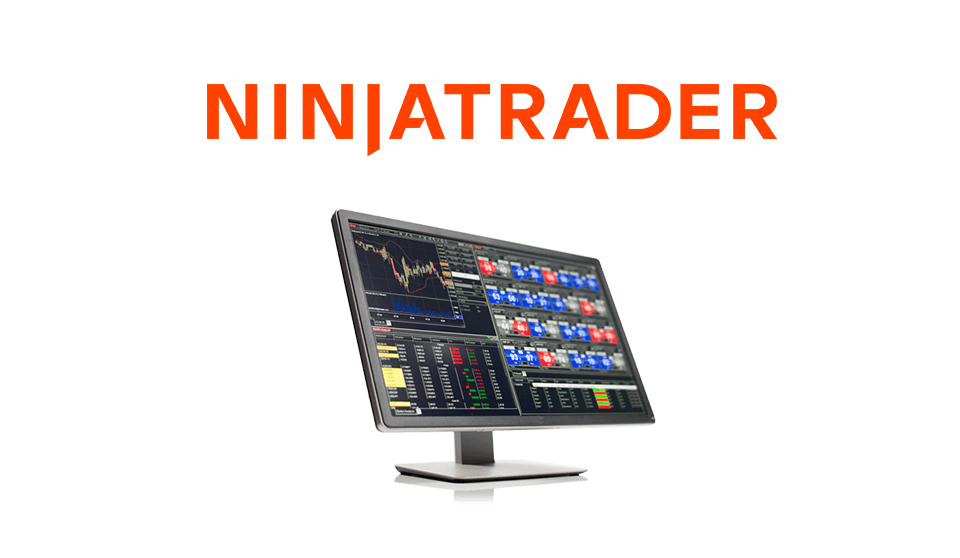
Our recommended order flow analysis software
NinjaTrader is our recommended order flow analysis software, futures trading & Prop Firm The trading software is favored by global traders including our customers.
Download NinjaTrader and free access now:
· Real-time data
· Unlimited real-time foreign exchange data
· Advanced charts
· Trade Simulator
· Strategic development and backtesting
NinjaTrader award-winningtransaction softwareIt has always been rated as the industry *** by the trading community. NinjaTrader has more than 1000 unlimited customizable applications and add-ons, which are used by more than 40,000 traders for advanced market analysis, professional charting and fast order execution.
For new traders, you can start preparing for the real-time market using free simulated trading with real-time market data.
Get started with free trading software
Our recommended market data
KineTick offers reliable, fast and cost-effectivemarket data, to help active traders create a fair playing field. Take advantage of unfiltered stocks, futures and forex real-time quotations that exceed the expectations of the world’s most demanding traders like us! Go directly through the NinjaTrader platform Start to use the free end of the dayhistorical data, and learn how to significantly reduce the CME Group Globex transaction fees for real-time market data using KineTick.
Getting Started with Free EOD Data